How to Perform Local SEO Competitor Research (Without Expensive Tools)

Understanding the competitive landscape is the first step in any successful SEO campaign. But for small business owners and freelancers, spending hundreds of dollars a month on enterprise-grade tools like Ahrefs or Semrush to track a handful of local keywords isn't always viable.
Fortunately, you don't need a massive budget to perform highly effective local SEO competitor research. You just need to know how to use Google correctly.
Why Local Competitors are Different Than National Competitors
In the world of local search, your biggest threats are not mega-corporations with massive domain authority like Amazon or Yelp. Your true competitors are the businesses located just down the street.
Google prioritizes proximity heavily in local searches. This means your competitor research needs to focus on businesses physically located near your target audience, not just businesses that rank well on a national scale.
You need to analyze local factors such as their Google Business Profile reviews, local backlinks (like local news citations), and localized on-page content.
How to Identify Your True Local Search Rivals
Before you can analyze your competitors, you need to know who they are. Do not assume you already know who your biggest competitors are just from operating in the area; Google's algorithm may favor someone completely different.
To find your true search rivals:
- Identify your top 3 "money keywords" (e.g., "emergency roofer dallas", "best orthodontist near me").
- Check who is consistently appearing in the Top 3 spots of the Google Local Pack (the map results).
- Check who holds the top organic rankings directly beneath the map pack.
Those businesses are your primary targets for research.
Using a Search Simulator to Inspect Competitor Rankings Remotely
The biggest hurdle in local competitor research is the location bias of your own IP address. If you are doing competitor research for a client located three cities away, Google will skew the results toward your location.
To bypass this and see exactly what the local customers see, use a free search simulator:
- Open a localized search tool like QueryFrom.
- Enter your "money keyword".
- Set the target location to the exact city your business or client operates in.
This will load an unbiased, completely localized Google SERP.
What to look for:
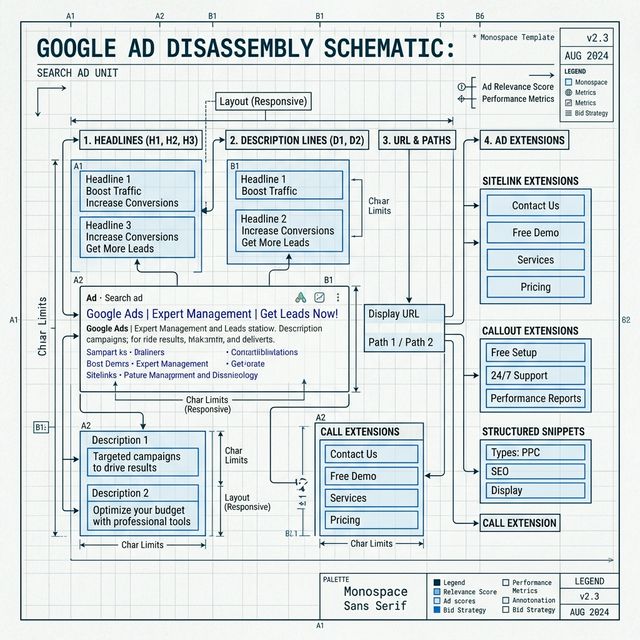
- Ad Copy: Are your local competitors running Google Ads? Note their headlines and offers.
- SERP Features: Is Google showing a "Local Service Ads" carousel above the map pack? Are there "People Also Ask" boxes?
- Directory Dominance: Are directories like Yelp or Angi taking up the top organic spots, meaning you need to focus heavily on the map pack instead of organic blue links?
By manually simulating searches across different local regions, you can map out your competitor landscape with 100% accuracy, entirely for free.
Further Reading
- Learn the anatomy of what you're seeing: The Anatomy of a Google Search Results Page in 2026
- Understand Local Pack rankings: Understanding Google's Local Pack: What It Is and How to Rank
- Compare local vs national strategies: Local SEO vs National SEO: Key Differences Explained
Digital marketer specializing in Local SEO and PPC. James has spent years helping businesses and agencies understand what their customers actually see on Google — and built QueryFrom to make that process faster for everyone.