How to Audit Your Local Competitor's Entire Google Ads Strategy for Free
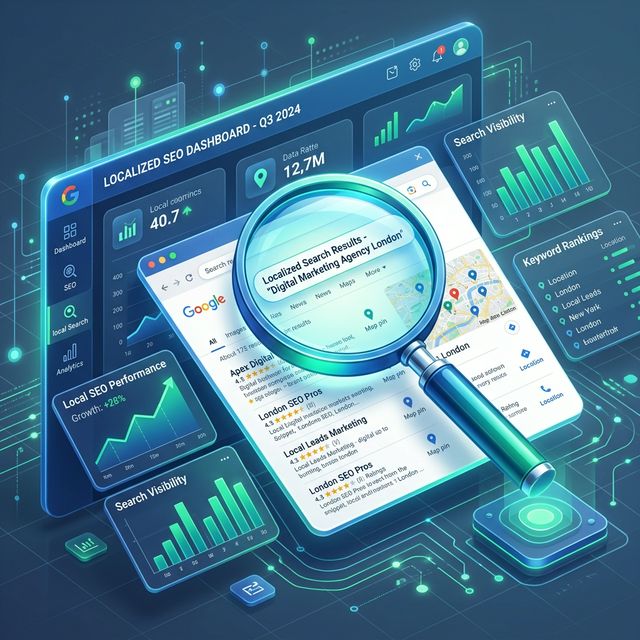
Most digital marketing agencies approach competitor research upside down. They spend hundreds of dollars a month on enterprise-grade "spy" tools that promise to scrape every keyword a competitor has ever bid on. While these tools are fantastic for national brands and e-commerce giants, they almost always fail at the hyper-local level.
If you are trying to beat a local plumbing company or a boutique law firm, you don't need a historical database of global keywords. You need a real-time view of what that business is saying to customers in your specific neighborhood today.
In this guide, we will show you how to perform a comprehensive local PPC competitor audit for free using nothing but manual search techniques and localized simulation.
Why Traditional PPC Tools Fail at the Hyper-Local Level
Enterprise PPC tools rely on "scraping" bots that usually search from a handful of data centers (often in Virginia, California, or London). This creates a massive data gap for local advertisers for three primary reasons:
- IP Bias: Google delivers search results based on the searcher's physical IP address. A bot in Virginia searching for "dentist near me" will see Virginia dentists, not the ones in downtown Chicago that your client is competing with.
- Ad Scheduling: Many local businesses only run ads during business hours (9 AM - 5 PM). If a scraping bot crawls at 2 AM, the competitor appears "inactive" when they are actually dominating the market.
- Location Extensions: Google dynamic extensions (which show the physical distance to the store) only trigger when the user is physically near the business. Traditional tools rarely capture these high-converting visual elements.
To get the truth, you have to bypass the scrapers and see the SERP as a local customer would.
Step 1: Identifying Your True "Geo-Competitors"
Before you can audit a strategy, you must identify who is actually bidding against you. Don't rely on the client's word for this; clients often fixate on "the big guy across town" while ignoring the aggressive newcomer who is stealing 40% of the mobile traffic.
Use a localized search simulator and perform three distinct searches for your primary keyword (e.g., "urgent care clinic") from three different neighborhoods around your client's location.
Look for consistency:
- The Market Leader: The brand appearing in the top spot across all three neighborhoods.
- The "Fringe" Competitor: The brand only appearing in the wealthiest zip code (indicating a targeted bid strategy).
- The Discounter: The brand running "percentage off" copy in their headlines.
Step 2: Extracting Ad Copy and Extensions via Simulation
Once you've identified 2–3 key competitors, it's time to perform a "Teardown." Most businesses let their ads run on autopilot for months. By manually simulating searches from different cities or zip codes, you can identify their exact messaging strategy.
The Ad Copy Teardown
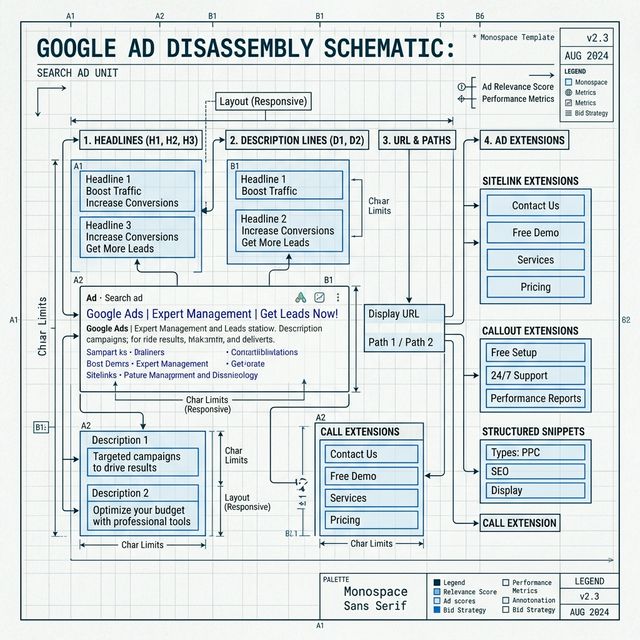
Look specifically at their "Headlines." Are they using Dynamic Keyword Insertion (DKI)? If the headline exactly matches your search query ("Plumber in [Zip Code]"), they are using DKI. If the headline is a specific brand promise ("24/7 Emergency Service - No Dispatch Fee"), they have manually authored that copy to win on value.
The Extensions Audit
Extensions are where local PPC battles are won. Use a localized search simulator to see which of these are appearing:
- Location Extensions: Are they showing their address? Is it close to the searcher?
- Callout Extensions: Look for phrases like "Family Owned" or "Licensed & Insured." These are their "trust signals."
- Price Extensions: If they are listing prices directly in the ad, you know they are competing on cost.
Step 3: Mapping the "No-Go" Zones
A great audit doesn't just show you what competitors are doing—it shows you what they aren't doing. This is where you find the ROI for your client.
Search from the outskirts of your target city using a localized search tool. Often, you will find that a major competitor has set their "radius" too small. You might find a high-intent neighborhood where zero competitors are currently appearing in the top 4 ad spots.
This is a "No-Go" zone. By bidding moderately on these neglected locations, you can achieve a significantly lower Cost-Per-Click (CPC) because the competition is non-existent.
Step 4: The Landing Page Experience
Never end your audit at the search result. Click through (or use a tool to view the destination URL without wasting their budget) to see where that traffic goes.
- Does the landing page mention the city you searched from? High-performing local accounts use geo-targeted landing pages.
- Is there a "Click-to-Call" button front and center?
- What is the primary offer? (Free Consultation vs. 10% Off).
Building Your Audit Report
When presenting this to your client, don't just send a spreadsheet of data. Use screenshots.
Nothing validates your expertise like showing a client a literal side-by-side view of their ad compared to their competitor's ad in a specific downtown zip code. It proves you are looking at the "boots on the ground" reality of the market, not just a theoretical graph from an expensive software suite.
Perform your first localized audit tonight. You will likely find at least one high-value keyword that your competitors have accidentally turned off, or a messaging gap that you can exploit immediately to grow your account.
Further Reading
- Deep-dive into Quality Score: How Google Ads Quality Score Works: A PPC Beginner's Guide
- Protect your budget: The 'Negative Keyword' Shield for Local PPC
- Learn location targeting settings: The Complete Guide to Google Ads Location Targeting
Digital marketer specializing in Local SEO and PPC. James has spent years helping businesses and agencies understand what their customers actually see on Google — and built QueryFrom to make that process faster for everyone.