The Danger of Geomodifiers: Why Searching "Plumber Chicago" Isn't Enough
When digital marketers or small business owners want to check how they rank in a specific city, their first instinct is usually to just type the city name directly into Google.
For example, if you live in Dallas but want to see who ranks for roofing services in Austin, you might simply type "roofer Austin" into the search bar.
This tactic relies on geomodifiers—adding a geographic identifier explicitly into the keyword phrase. While this might seem like a clever workaround to bypass Google's localization, it actually generates a completely different, highly biased Search Engine Results Page (SERP) that does not reflect reality.
Implicit vs. Explicit Local Searches: What is the Difference?
To understand why this fails, you have to understand how Google processes Search Intent.
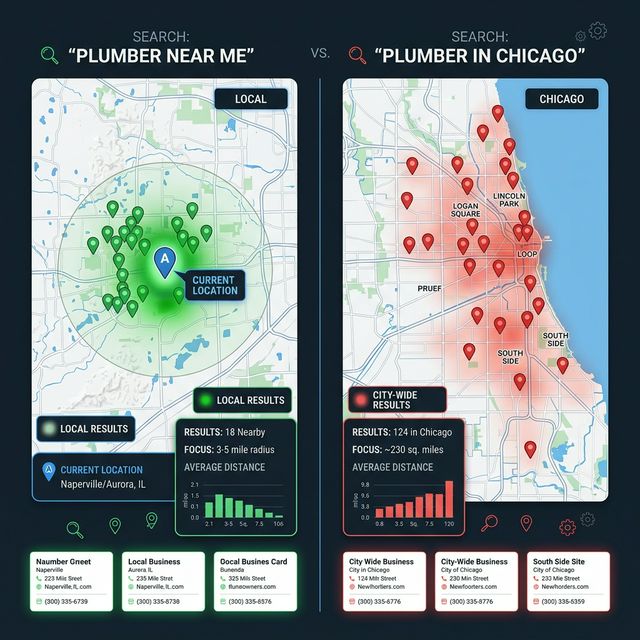
Explicit Queries (Searching with a Geomodifier): When you type "roofer Austin" from your house in Dallas, Google registers this as an explicit request for information about a specific distant location. Because you are physically far away, Google assumes you are doing research. The resulting SERP will heavily favor large, authoritative directory sites (like Yelp, Angi, or the BBB) that list multiple roofers in Austin.
Implicit Queries (Searching Naturally): When an actual homeowner living in Austin needs their roof fixed, they do not type "roofer Austin". They implicitly type "roofer near me" or simply "roofer". Google uses their phone's GPS data to determine they are standing in Austin and immediately serves a highly localized "Map Pack" featuring the three closest, highest-rated physical roofing businesses.
The "Map Pack" Penalty for Out-of-Town Searchers
The biggest problem with relying on geomodifiers is the Map Pack penalty.
If you search "roofer Austin" from Dallas, Google will sometimes completely omit the Local Pack (the map with three local businesses) or shuffle it drastically, opting instead to show organic blue links.
If your client is investing heavily in optimizing their Google Business Profile to rank #1 in the Map Pack, but you are tracking their progress using explicit geomodified searches, you will panic when you don't see them on page one. You are looking at the wrong set of search results entirely.
(This disconnect is exactly why clients often think their SEO is failing. If you are currently dealing with a frustrated client, read our guide on Why Can't I Find My Business? Explaining Personalized Search to Clients.)
How to See True Implicit Local Results
To see true, un-biased implicit local results, you cannot change the keyword; you must change the location of the searcher.
Stop typing the city name into the search bar and use a true location simulator instead.
How to get accurate implicit rankings:
- Open a localized search simulator like QueryFrom.
- Type in the natural, implicit keyword exactly as a customer would search it (e.g., just "roofer", without any city name attached).
- Set the location dropdown to the precise city you want to inspect (e.g., "Austin").
- Press search.
This bypasses your physical location and passes the requested city directly to Google's backend. The search engine will treat the query exactly as if you were physically standing in Austin typing the word "roofer," triggering the standard localized Map Pack and giving you 100% accurate ranking data.
Further Reading
- Understand this concept in depth: Implicit vs Explicit Search Queries: Why Intent Changes Everything
- Learn how the underlying algorithm works: How Google's Local Search Algorithm Works in 2026
- See how UULE parameters power location simulation: UULE Parameters Explained
Digital marketer specializing in Local SEO and PPC. James has spent years helping businesses and agencies understand what their customers actually see on Google — and built QueryFrom to make that process faster for everyone.