Implicit vs Explicit Search Queries: Why Intent Changes Everything
When an SEO professional talks about "search intent," they're usually referring to informational, navigational, transactional, or commercial intent. But there's another dimension of intent that is equally important—and far less discussed: the distinction between implicit and explicit search queries.
Understanding this distinction is critical because Google serves fundamentally different results for each type, and optimizing for the wrong one can render your entire SEO strategy ineffective.
What Are Implicit Queries?
An implicit query is a search where the user does not specify a location, but Google infers local intent from the query itself and the user's physical location.
Examples of implicit queries:
- "plumber near me"
- "pizza delivery"
- "dentist"
- "gas station"
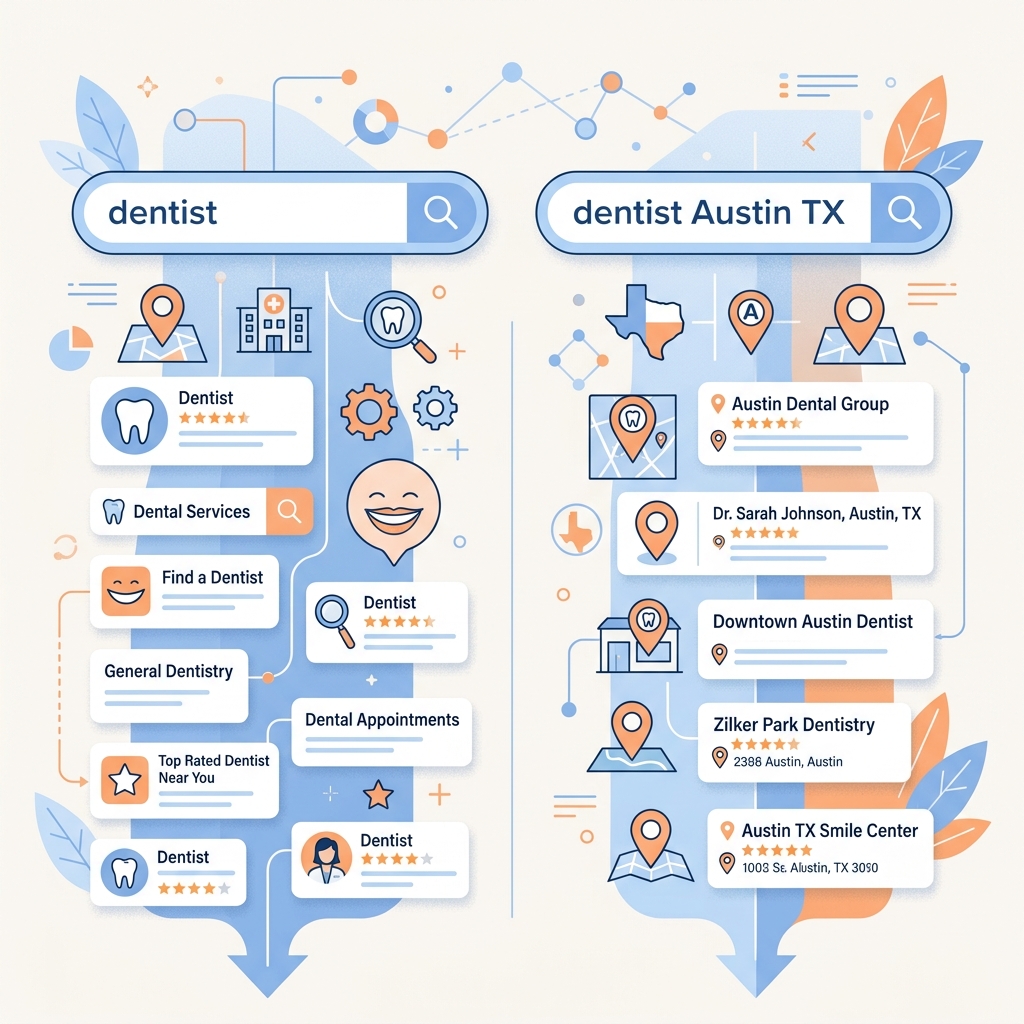
When a user types "dentist" while sitting in Austin, Texas, Google implicitly understands that the user wants a dentist near them. It will display the Local Pack with Austin-area dental practices, and the organic results will be heavily weighted toward local businesses.
The key characteristic of implicit queries is that the same query produces completely different results depending on where the user is physically located. Someone searching "dentist" in Chicago sees entirely different businesses than someone searching "dentist" in Miami.
What Are Explicit Queries?
An explicit query is a search where the user specifically includes a geographic identifier—a city name, state, zip code, or neighborhood.
Examples of explicit queries:
- "plumber in Austin"
- "best dentist Chicago"
- "pizza delivery 10001"
- "lawyers San Francisco CA"
With explicit queries, the user is telling Google exactly where they want results from. This changes Google's behavior in several important ways.
How Google Treats Each Type Differently
The Local Pack Behavior
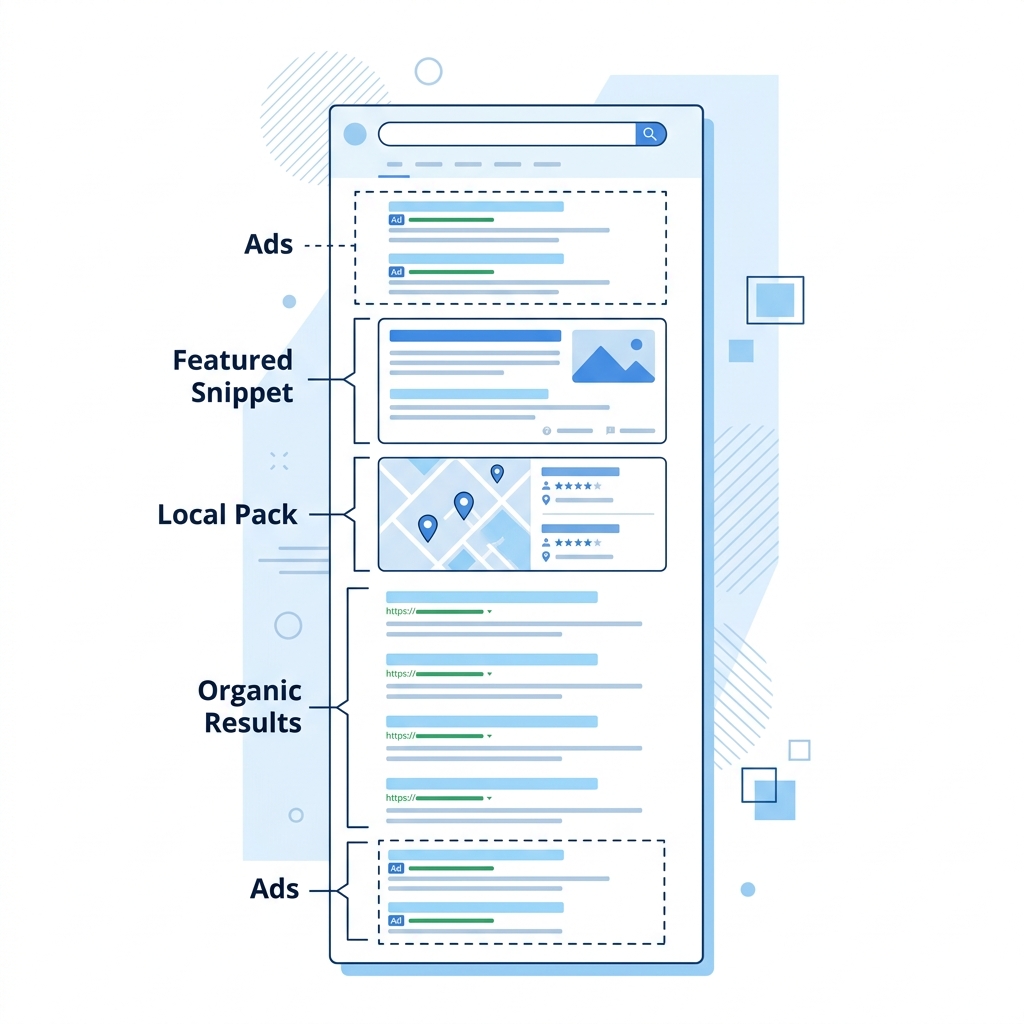
Implicit queries almost always trigger a full Local Pack (the three-business map section) because Google recognizes immediate local intent. The results are tightly clustered around the user's GPS coordinates.
Explicit queries may or may not trigger a Local Pack. When they do, the results are centered on the named location rather than the user's actual position. However, Google often gives more weight to organic directory listings (Yelp, Angi, BBB) for explicit queries because it interprets the search as potentially "research-oriented" rather than "immediate need."
The Organic Results Behavior
For implicit queries, organic results heavily favor local businesses, Google Business Profile listings, and localized landing pages.
For explicit queries, organic results tend to favor authoritative directory sites and "list" pages (e.g., "Top 10 Plumbers in Austin" articles). Google assumes that a user adding a city name might be researching from outside that city, so it serves more "informational" content rather than direct business listings.
The Ad Display Behavior
Google Ads targeting also responds differently to each query type. For implicit queries, only advertisers targeting the user's physical location will have their ads shown. For explicit queries, advertisers targeting either the user's location OR the named location may appear, which can lead to less relevant ad results.
Why This Matters for SEO Professionals
This distinction has profound implications for how you conduct keyword research and verify rankings:
1. Your Keyword Targets May Be Wrong
If your client's primary customer searches "dentist" (implicit) while standing in their neighborhood, but you're tracking rankings for "dentist Austin" (explicit), you're measuring the wrong SERP. The competitive landscape, SERP features, and ranking positions can be completely different.
2. Content Strategy Implications
For implicit queries, you need strong Google Business Profile optimization and localized on-page content. For explicit queries, you need authoritative, comprehensive content that can compete with directory sites and "best of" listicles.
3. Rank Tracking Accuracy
Most rank tracking tools use explicit queries by default (they search "keyword + city name" from a data center). This means the rankings they report may not reflect what an actual local customer sees when performing an implicit search from their phone.
The "Smartphone Test"
The easiest way to understand this concept is to think about how real customers actually search:
The homeowner with a burst pipe at 2 AM: They grab their phone and type "emergency plumber" — an implicit query. They expect the nearest available plumber to appear instantly.
The property manager researching contractors: They sit at their desk and type "best plumbing companies in Phoenix" — an explicit query. They're comparing options, reading reviews, and building a shortlist.
These two users have very different needs, and Google serves them very different results. Your SEO strategy must account for both.
How to Optimize for Each Query Type
For Implicit Queries:
- Prioritize Google Business Profile optimization (categories, reviews, photos)
- Ensure NAP consistency across all directories
- Build local citations and backlinks
- Create localized landing pages for each service area
- Focus on mobile user experience
For Explicit Queries:
- Create comprehensive, authoritative content pages
- Target long-tail keywords with geographic modifiers
- Build content that can compete with directory sites
- Earn featured snippets for "best [service] in [city]" queries
- Consider creating city-specific resource pages
Further Reading
- Understand the basics of SERP anatomy: What is a SERP? A Complete Guide
- See how this applies to local strategy: Local SEO vs National SEO: Key Differences Explained
- Learn the technical mechanics behind location: What is Geotargeting? A Marketer's Guide
Key Takeaways
- Implicit queries don't include a location but trigger local results based on the user's GPS position
- Explicit queries include a city or region name and produce different SERP layouts
- Google shows more directory and "list" content for explicit queries
- Most rank tracking tools use explicit queries, which may not reflect real local customer searches
- An effective local SEO strategy must optimize for both query types
Digital marketer specializing in Local SEO and PPC. James has spent years helping businesses and agencies understand what their customers actually see on Google — and built QueryFrom to make that process faster for everyone.