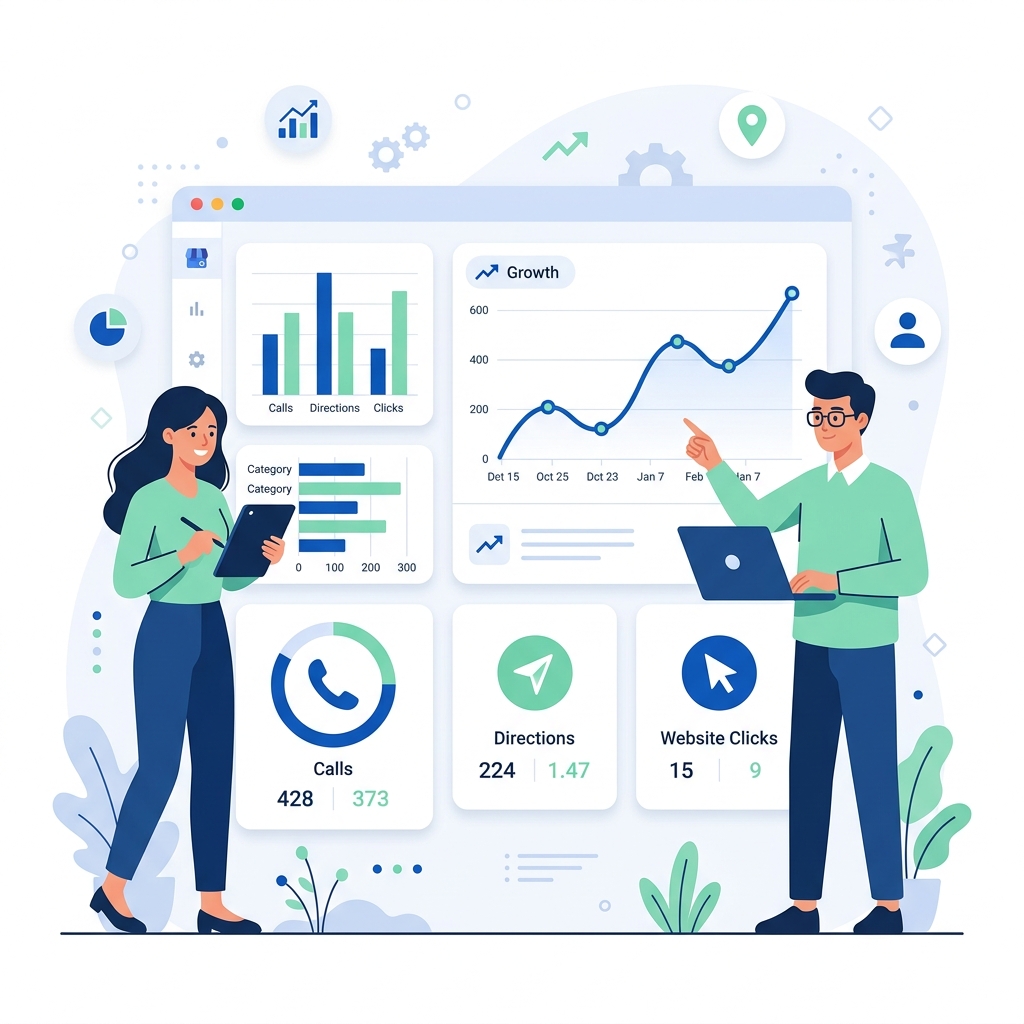
Your Google Business Profile (GBP) generates a wealth of performance data that tells you exactly how customers are finding and interacting with your business on Google. Yet many business owners either ignore this data entirely or misinterpret the metrics.
Understanding your GBP Insights report is essential for measuring the effectiveness of your local SEO strategy, identifying growth opportunities, and making informed decisions about where to invest your marketing budget.
Accessing Your Performance Data
Google has evolved the GBP Insights interface several times. As of 2026, performance data is available through:
- The GBP Dashboard at business.google.com — select your business and click "Performance"
- Google Search — search for your business name while logged into the associated Google account, and you'll see a management panel with performance metrics
- The Google Business Profile API — for agencies and multi-location businesses that need programmatic access
Key Metrics Explained
Search Queries
This section shows the actual search terms people used when your business listing appeared on Google. These are divided into:
Direct searches: Users who searched for your business by name (e.g., "Joe's Auto Repair"). A high percentage of direct searches indicates strong brand awareness.
Discovery searches: Users who searched for a category, product, or service and found your listing (e.g., "auto repair near me"). This is the most valuable segment because it represents new potential customers.
Branded searches: Users who searched for a brand related to your business (e.g., the name of a product you carry). This is particularly relevant for retail and dealership businesses.
A healthy business should see a mix of all three types, with Discovery searches representing the largest share.
How Customers Find You
This metric tracks where your listing appeared when users found it:
On Google Search: Your listing appeared in the main Google Search results (the Local Pack, Knowledge Panel, or organic results).
On Google Maps: Your listing appeared when users were browsing or searching directly within the Google Maps app or website.
For most local businesses, Google Search generates more impressions, but Google Maps interactions often have higher intent (the user is actively looking for directions or nearby options).
Customer Actions
These are the most actionable metrics in your report:
Website visits: How many users clicked through to your website from your listing. Track this alongside your website analytics to measure the conversion rate of GBP-sourced traffic.
Direction requests: How many users requested directions to your location. This is a strong signal of in-person visit intent and is especially valuable for retail, restaurants, and walk-in service businesses.
Phone calls: How many users tapped the "Call" button on your listing. On mobile devices, this is often the highest-conversion action available. Note: GBP only tracks clicks on the call button, not actual completed calls.
Messages: If you have messaging enabled, this tracks how many users initiated a conversation through your listing.
Photo Views and Quantity
GBP tracks how many times your photos have been viewed and compares your photo count to similar businesses in your area. This benchmark is useful because:
- Businesses with more photos receive 42% more direction requests (per Google's data)
- If your competitors have significantly more photos, this is an easy area to improve
- Photo views correlate with listing engagement and can indirectly influence rankings
Understanding the Data Timeframes
GBP performance data is available for the following periods:
- Last 7 days
- Last 28 days
- Last 3 months
- Last 6 months
- Last 12 months
For meaningful trend analysis, use the 3-month or 6-month view. Weekly data is too volatile for strategic decisions but useful for detecting sudden changes (like a listing suspension or a spike from a marketing campaign).
How to Use Insights for Strategic Decisions
Identifying Your Highest-Value Search Terms
Sort your search queries by volume and identify which discovery terms are driving the most impressions. These are the keywords you should be optimizing your GBP description, services, and website content around.
Measuring Local SEO ROI
Track month-over-month changes in direction requests and phone calls. These are the closest metrics to actual revenue that GBP provides. If your local SEO efforts are working, you should see a steady upward trend in these action metrics.
Competitive Benchmarking
Use the photo quantity comparison to gauge how your listing stacks up against local competitors. If the average business in your category has 50 photos and you have 8, this is a quick win.
Detecting Problems Early
A sudden drop in search impressions or customer actions could indicate:
- Your listing was suspended or flagged
- A competitor launched an aggressive review campaign
- Google changed your primary category without notification
- Your hours are listed incorrectly (showing "Closed" during business hours)
Common Misinterpretations
"My impressions are high but calls are low — SEO isn't working." High impressions with low actions usually means your listing isn't compelling enough. Improve your photos, respond to reviews, and ensure your business description clearly communicates your value proposition.
"I got fewer searches this month — I'm losing rankings." GBP Insights reports the number of times your listing appeared, not your ranking position. Seasonal fluctuations in search demand are normal. Compare year-over-year, not just month-over-month.
Further Reading
- Set up your listing from scratch: What is a Google Business Profile? Setup Guide for Beginners
- Understand what powers your ranking: How Google's Local Search Algorithm Works in 2026
- Learn about the Local Pack these insights relate to: Understanding Google's Local Pack: What It Is and How to Rank
Key Takeaways
- GBP Insights provides four key metrics: search queries, how customers find you, customer actions, and photo performance
- Discovery searches are the most valuable segment — they represent new customer acquisition
- Direction requests and phone calls are the closest proxies to actual revenue
- Use 3-month trends for strategic decisions, weekly data for problem detection
- Compare your photo quantity against competitors for easy optimization wins
Digital marketer specializing in Local SEO and PPC. James has spent years helping businesses and agencies understand what their customers actually see on Google — and built QueryFrom to make that process faster for everyone.