Google Search URL Parameters: The Complete Reference Guide
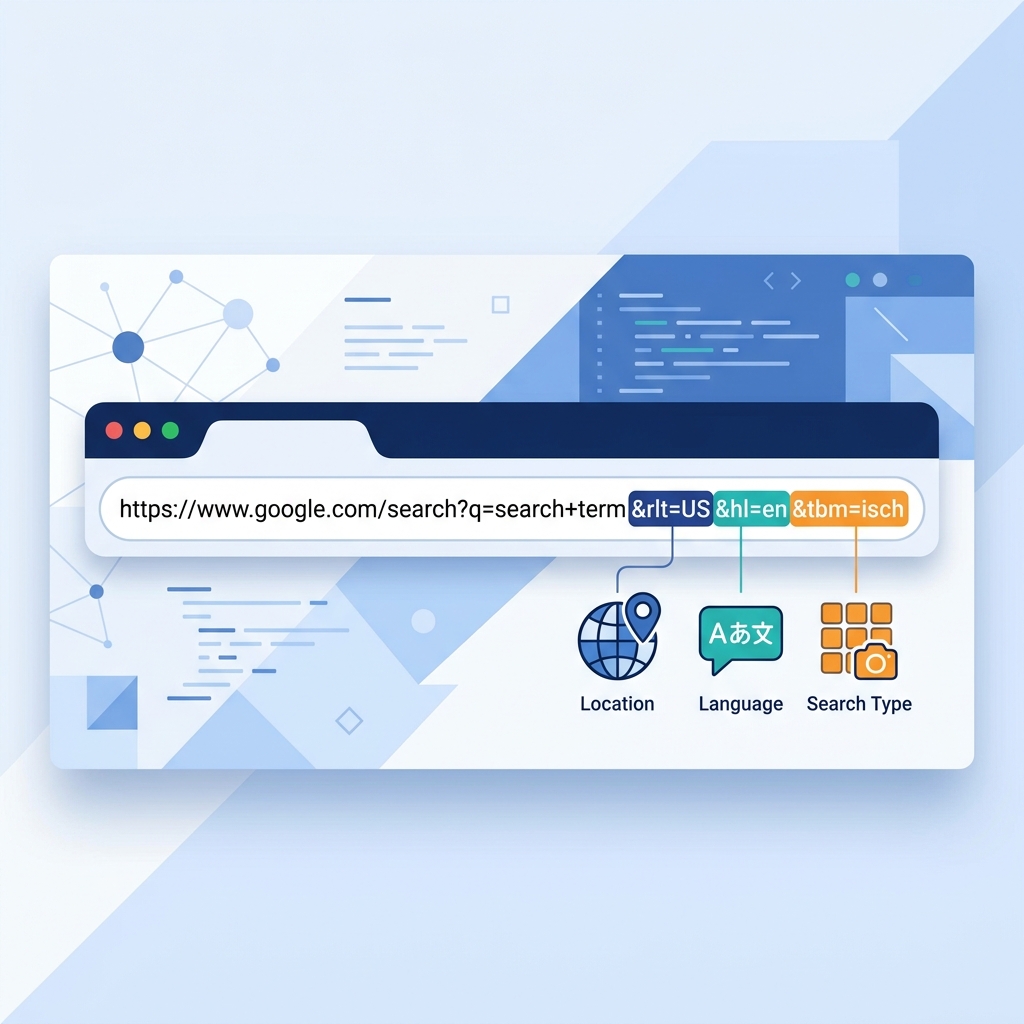
Every time you perform a Google search, the resulting URL contains a series of parameters that control what you see. These parameters determine the language of the results, the country they're targeted to, the number of results displayed, and much more.
For SEO professionals, PPC managers, and developers, understanding these parameters is a powerful skill. It allows you to manipulate search URLs to test rankings in different regions, debug localization issues, and build custom search tools.
This guide is a complete reference to the most important Google Search URL parameters in active use.
The Anatomy of a Google Search URL
A standard Google Search URL follows this pattern:
https://www.google.com/search?q=keyword&gl=us&hl=en&num=10
Everything after the ? is a parameter. Multiple parameters are separated by &. Let's break down each one.
Core Search Parameters
q — The Search Query
The most fundamental parameter. This is the actual search term.
?q=best+coffee+shop
Spaces are encoded as + or %20. Special characters are URL-encoded.
gl — Geographic Location (Country)
Sets the country for the search results using a two-letter ISO 3166-1 country code.
&gl=uk    → United Kingdom
&gl=au    → Australia
&gl=de    → Germany
&gl=jp    → Japan
This influences which country-specific results appear. Without it, Google infers the country from your IP address.
hl — Host Language
Sets the language of the Google interface and influences which language results are prioritized.
&hl=en    → English
&hl=es    → Spanish
&hl=fr    → French
&hl=pt-BR → Brazilian Portuguese
Note: hl controls the interface language (buttons, labels, etc.) and gives preference to results in that language, but it does not exclusively filter results by language.
lr — Language Restrict
Strictly limits results to pages written in a specific language.
&lr=lang_en    → Only English pages
&lr=lang_de    → Only German pages
This is more restrictive than hl and will actively filter out pages in other languages.
Location Parameters
uule — Encoded Location
The UULE parameter is how Google internally encodes a specific geographic location. It's a Base64-encoded string that represents a canonical place name from Google's geotargets database.
&uule=w+CAIQICIYQ2hpY2FnbyxJbGxpbm9pcyxVbml0ZWQgU3RhdGVz
This parameter is more granular than gl because it can specify a city or region, not just a country. It's the same system used by Google Ads for location targeting.
The encoding format follows this structure:
- Start with
w+CAIQICI - Add a character representing the length of the place name
- Append the Base64-encoded canonical place name
near — Near Location
A simpler (but less reliable) way to add location context:
&near=Chicago,Illinois
This is less precise than uule and Google may not always respect it.
Display and Formatting Parameters
num — Number of Results
Controls how many results appear per page (default is 10).
&num=20    → Show 20 results
&num=50    → Show 50 results
&num=100   → Show 100 results
Maximum value is typically 100. Higher values can increase page load time.
start — Result Offset
Skips a number of results, effectively implementing pagination.
&start=10    → Start from result #11 (page 2)
&start=20    → Start from result #21 (page 3)
filter — Duplicate Filtering
Controls whether Google filters similar results.
&filter=0    → Disable duplicate filtering (show all results)
&filter=1    → Enable filtering (default behavior)
safe — SafeSearch
Controls the SafeSearch content filter.
&safe=active    → Enable SafeSearch
&safe=off       → Disable SafeSearch
Device and Search Type Parameters
tbm — Search Type (To Be Matched)
Switches between different Google search verticals.
&tbm=isch    → Image Search
&tbm=vid     → Video Search
&tbm=nws     → News Search
&tbm=shop    → Shopping Search
tbs — Time-Based Search
Filters results by recency.
&tbs=qdr:h     → Past hour
&tbs=qdr:d     → Past 24 hours
&tbs=qdr:w     → Past week
&tbs=qdr:m     → Past month
&tbs=qdr:y     → Past year
Practical Use Cases for SEO Professionals
Checking Rankings in Different Countries
Append &gl= and &hl= to see how your site ranks in different markets:
https://www.google.com/search?q=project+management+software&gl=de&hl=de
Viewing More Results on a Single Page
Use &num=100 to see the top 100 results at once, which is useful for competitive analysis:
https://www.google.com/search?q=best+crm+software&num=100
Disabling Personalization
Add &pws=0 to disable personalized web search results:
https://www.google.com/search?q=seo+agency&pws=0
Important Caveats
- Google can ignore parameters: Google may override or ignore certain parameters based on its own signals, especially for location-related parameters when your IP address strongly contradicts the specified location.
- Parameters change over time: Google occasionally deprecates parameters or changes their behavior without notice.
- Don't rely on URL manipulation for production tools: For any serious application, use Google's official APIs (Custom Search JSON API) rather than scraping parameterized URLs.
Further Reading
- Learn about the UULE encoding system referenced by these parameters: UULE Parameters Explained: How Google Encodes Location in Search
- Understand what the resulting page looks like: What is a SERP? A Complete Guide to Search Engine Results Pages
- See how location targeting works in the paid side: The Complete Guide to Google Ads Location Targeting
Key Takeaways
- Google Search URLs contain powerful parameters that control location, language, display, and filtering
- The
glandhlparameters control country and language targeting - The
uuleparameter provides city-level location precision using Google's own encoding system - Understanding these parameters is essential for cross-regional SEO testing and debugging
- Always test parameters in an incognito window to minimize personalization effects
Digital marketer specializing in Local SEO and PPC. James has spent years helping businesses and agencies understand what their customers actually see on Google — and built QueryFrom to make that process faster for everyone.